Conceptualized and designed the MVP for Docuguard – DCSPro, a tool that enables companies to streamline the process of getting employment agreements signed by new hires.
Industry
Software and Tech
Client
DCSPro
Time
4 Months
Overview
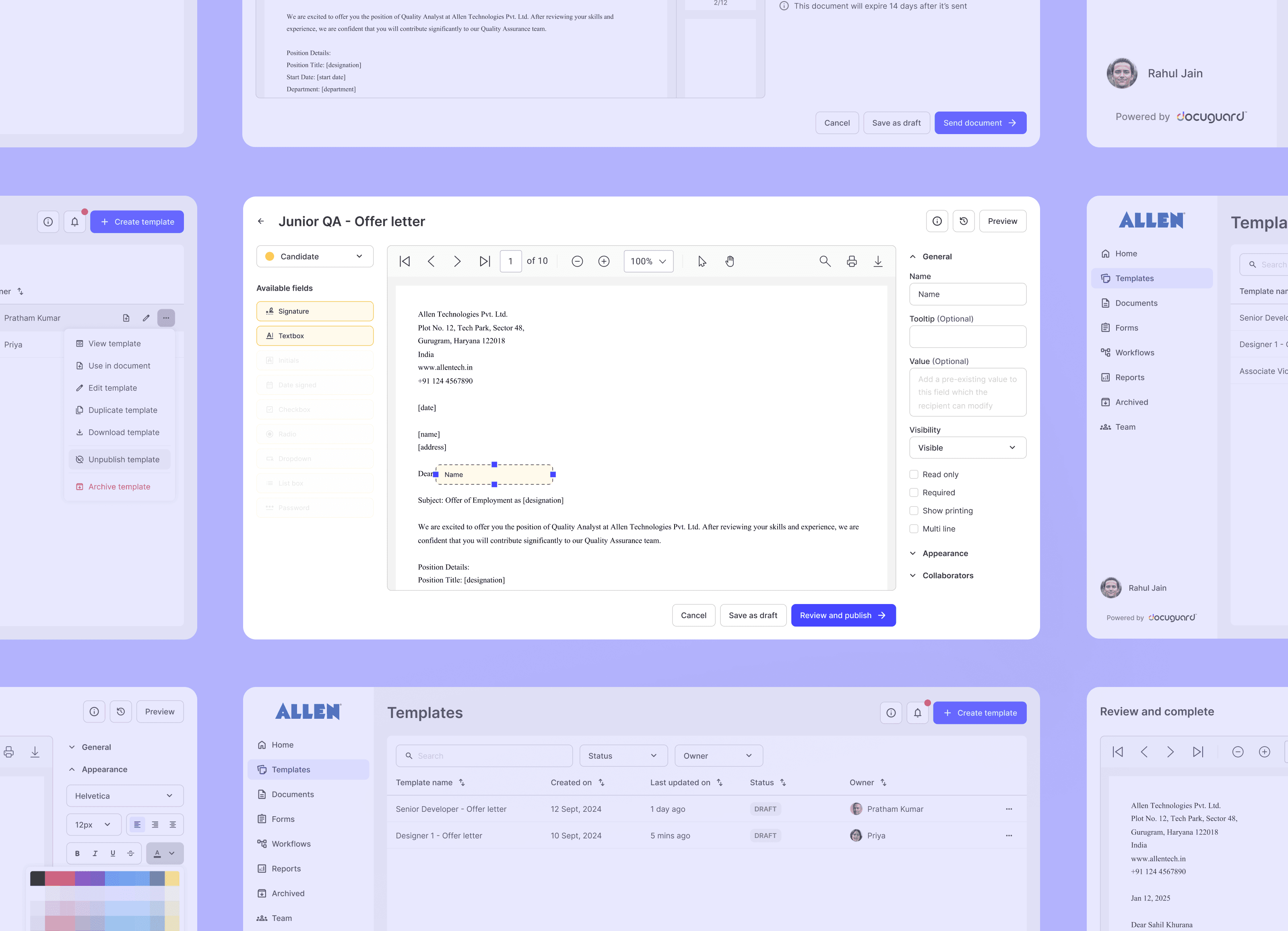
Docuguard is a digital solution streamlining employee onboarding and offboarding through secure e-signatures. By automating document workflows, Docuguard reduces administrative overhead, ensures legal compliance, and enhances the overall HR experience.
Problem statement
How might we simplify and streamline the document signing process for HR teams, so they can onboard new hires faster, reduce back-and-forth communication, and create a smoother experience for both themselves and their candidates?
My role
Kick-off
The project kicked off with a collaborative briefing session with the co-founder and product manager. We aligned on the product vision, current customer use cases, and the longer-term roadmap. The primary goal of the MVP was to replicate the core hiring workflows of three initial enterprise customers to enable immediate onboarding upon release. We had a 4-month timeline to deliver a working MVP.
Primary research
To understand user needs and their current workflows, I interviewed four HR professionals from mid-to-large sized companies (500+ employees) who were the initial target user base for Docuguard.
Key Insights:
HR teams frequently struggle with maintaining and selecting the correct document templates.
Onboarding often gets delayed due to poor communication and complex signing tools, causing friction for candidates.
These insights shaped our prioritization for features like template management, intuitive document flows, and clearer communication mechanisms.
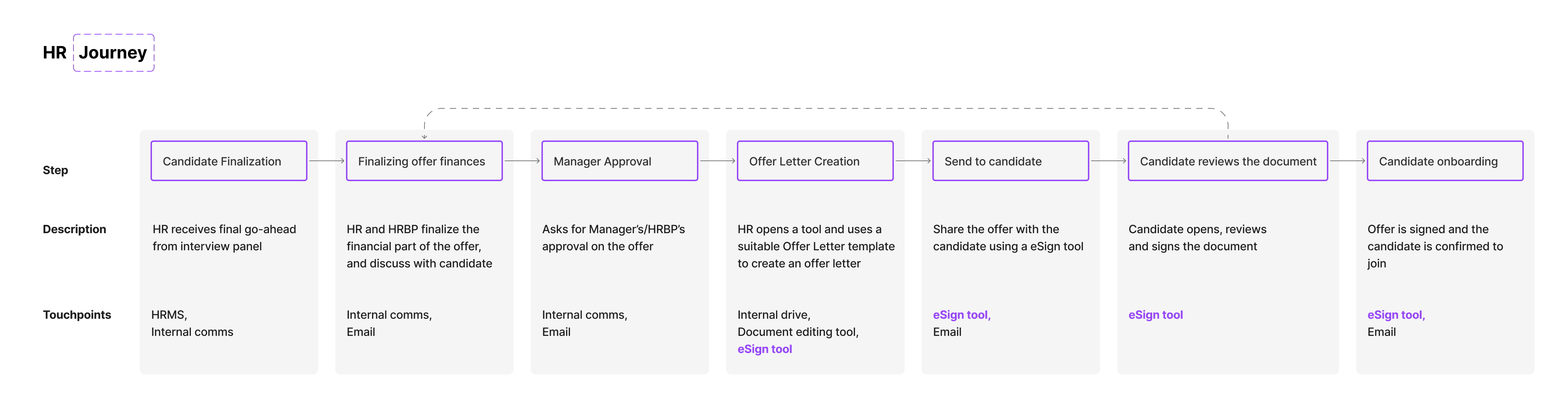
User journey V1
Secondary research
I conducted a competitive analysis of industry-standard tools to:
Identify must-have features to meet market expectations.
Understand common UI patterns and workflows.
Highlight gaps in existing tools we could address to stand out.
This helped balance innovation with familiarity, so our product felt intuitive while still solving user pain points more effectively.
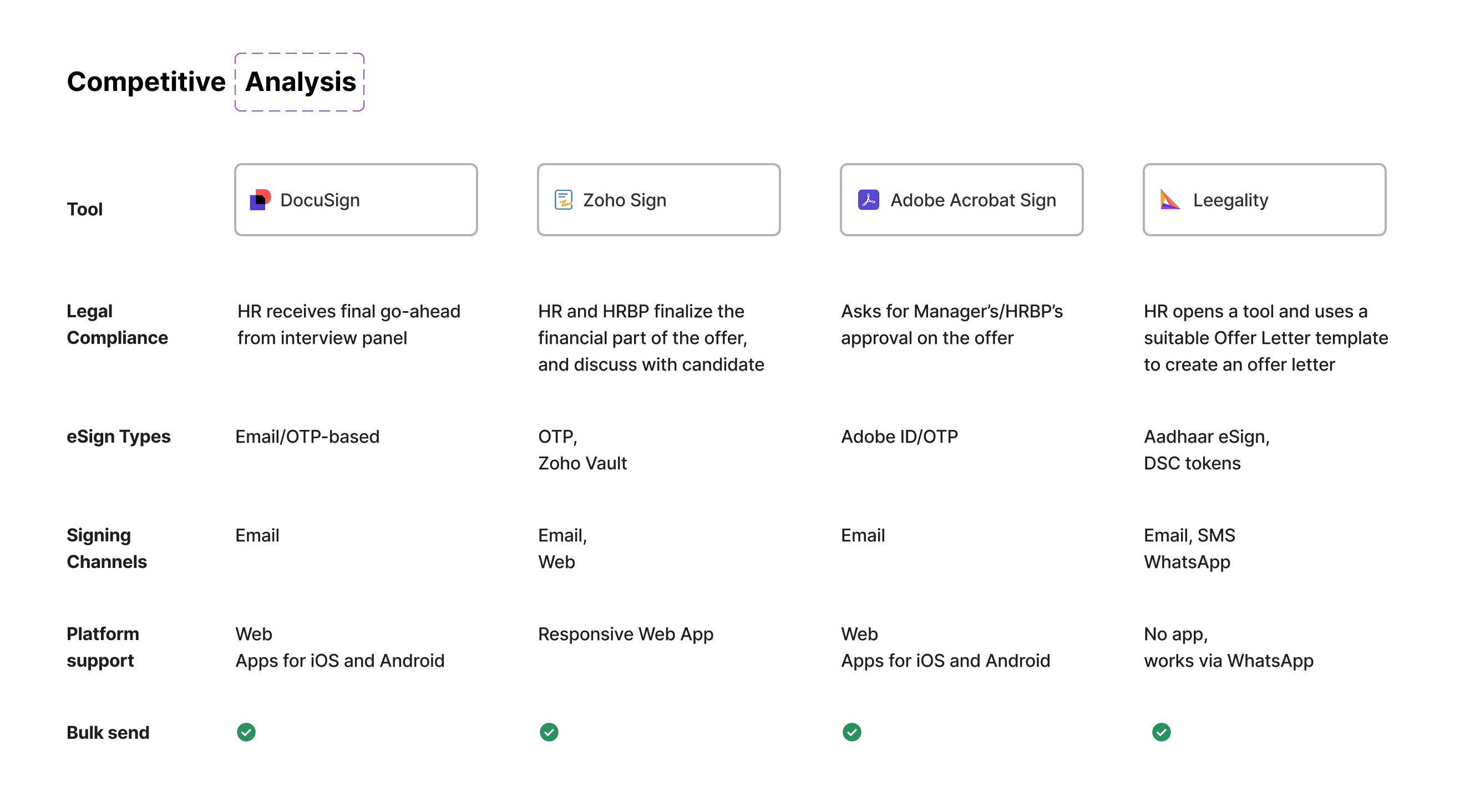
Competitive analysis
User flows
After defining what to build, we shifted focus to how these features would work together. We scoped and designed flows for:
Template Management
Document Handling
Team Management
Communication (notifications & emails)
To accelerate development, we integrated a third-party library (Syncfusion) for document editing and signing. This introduced some technical constraints, which required design trade-offs to maintain a cohesive user experience while leveraging pre-built components. I ensured interconnected workflows were defined clearly before moving into UI design, so each feature functioned well as part of a larger system.
Design language
Docuguard’s existing brand colours guided the visual direction. I started by creating a usable palette from those colours to ensure accessibility and consistency.
Also, some of the workflows were designed keeping responsiveness in mind as the candidates who need to sign the documents might not always have access to a PC or laptop.
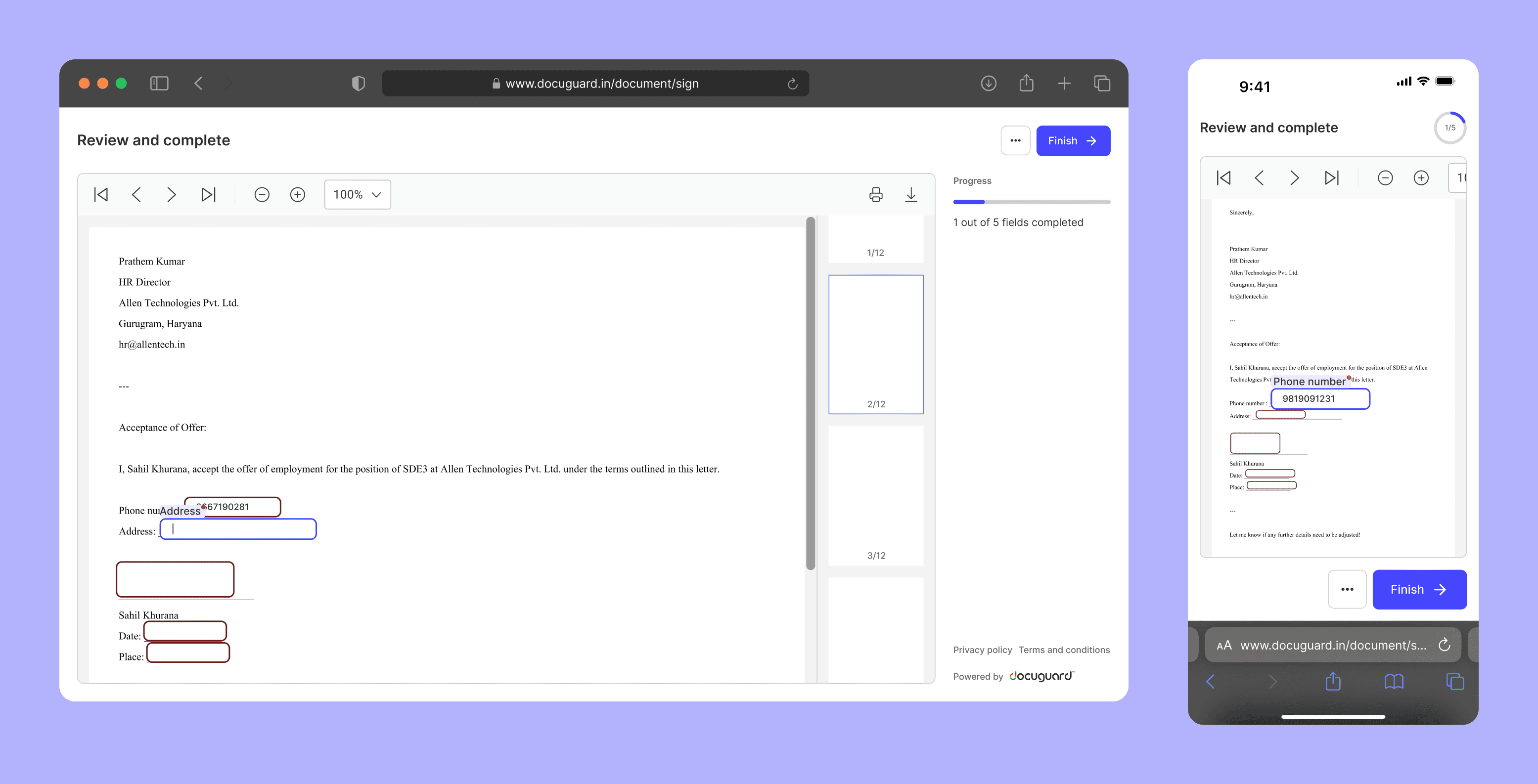
Responsive UI
To support consistency and scalability, I built a custom UI kit starting with core components like headers, buttons, inputs, and dropdowns. As the product evolved, I scaled the system to include more complex components.
This approach allowed us to speed up execution and maintain design consistency across different features.
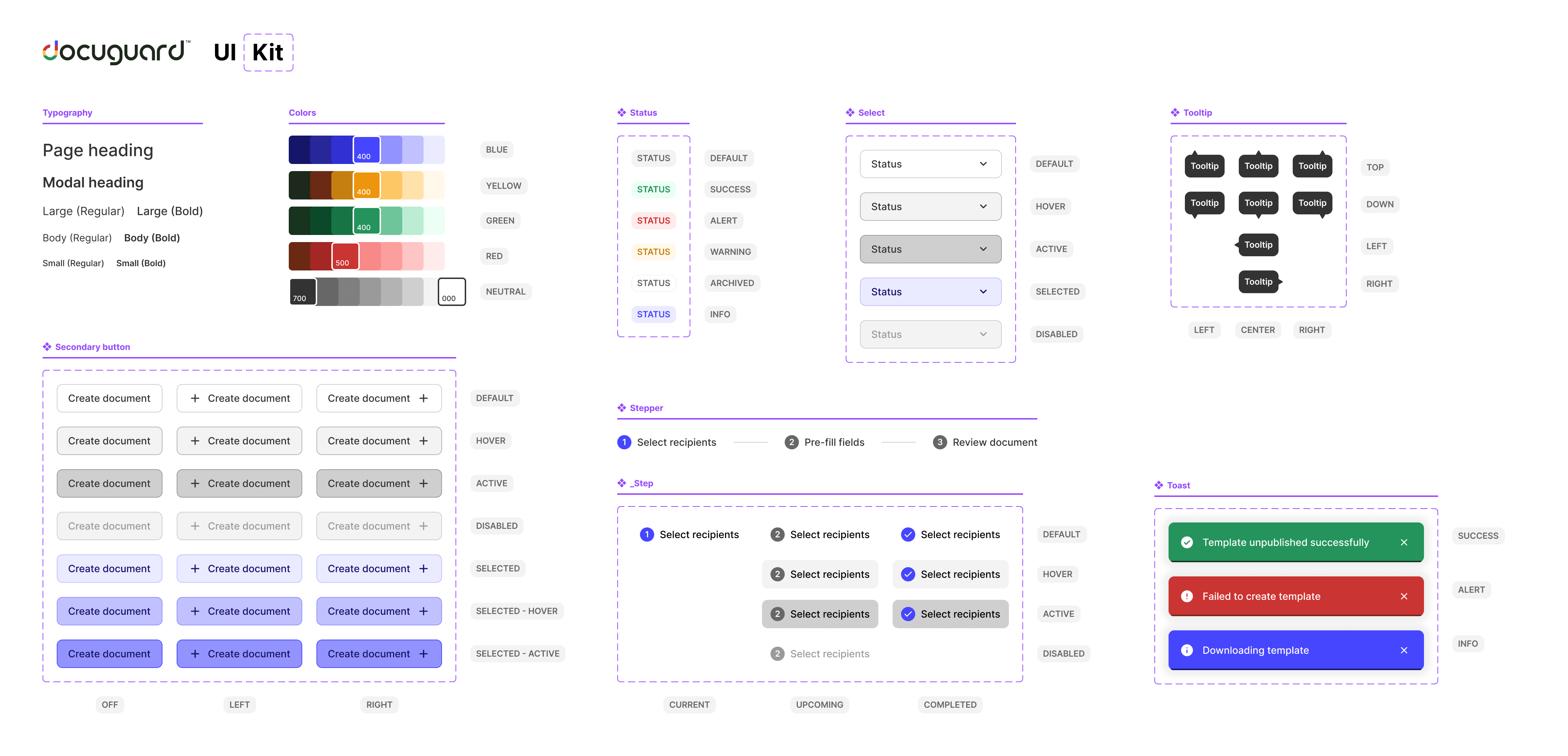
Docuguard UI Kit V1
Impact
Within the first 30 days of launch, we successfully onboarded two enterprise customers with minimal training. The intuitive user experience and workflows were designed to mirror familiar HR processes, which made adoption smooth and effortless. Our "convention over configuration" approach allowed users to get started quickly without needing to customize everything from scratch.
FIN.